Realms
Realms decide which machines can exchange data, and admins create, rename and archive sub-realms in the console.
- Who
- Admins create, rename and archive. Every role reads
- Where
- Protect › Realms
The Organisation's Tree
Your sovereign network is one tree of realms. Your organisation's own realm, the guardian realm, is at the top. Its key is sealed in the guardian, and only the guardian's signer uses it. The guardian realm is never archived.
The machines in the guardian realm are your bootstrap nodes. A bootstrap node is a publicly reachable machine that every other machine starts from. Bootstrap nodes relay traffic for everything below them and carry no user data of their own.
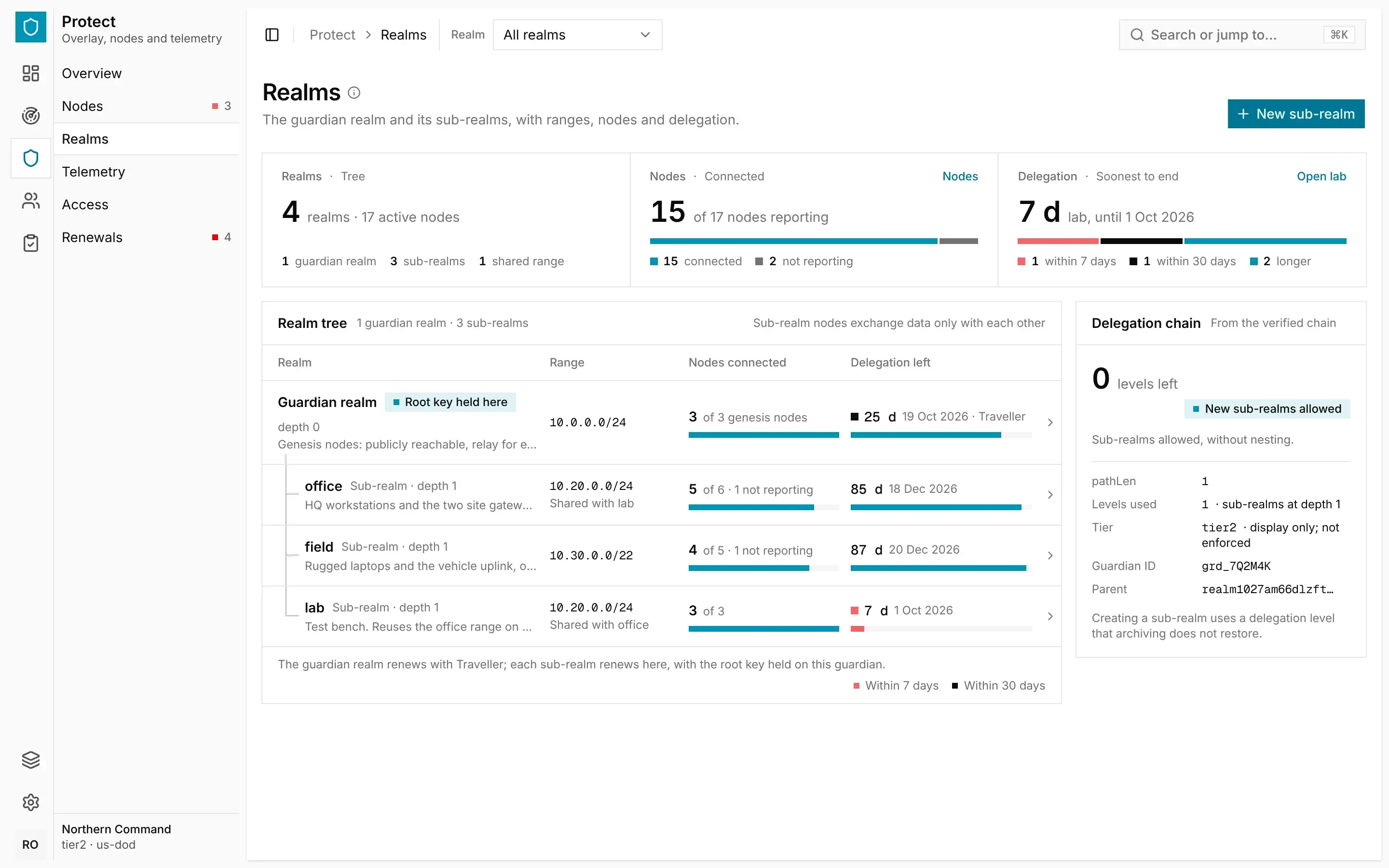
Sub-realms sit directly below the guardian realm, one for each site, department or team. A sub-realm never sits below another sub-realm. Each sub-realm has an address range that you choose. Data never crosses between sub-realms, so two sub-realms can share a range, and a site can keep its existing address plan.
The guardian realm is at the top of your tree, and its key is sealed in the guardian. Sub-realms sit directly below it, never below each other. The guardian runs an admin node in every realm, the guardian realm included. Data never crosses between sub-realms, so two sub-realms can use the same range.
Sub-Realm Levels
Your realm credential, which VeilNet issues, decides whether anything can sit below the guardian realm. VeilNet signs it with a number of sub-realm levels, and the credential's tier names that number:
| Tier | Sub-realm levels |
|---|---|
tier0 | None |
tier1 | None |
tier2 | One |
tier3 | Two |
The levels signed into the credential are what count. The console shows the tier for information only.
- With no levels, every machine sits in the guardian realm as a bootstrap node with a public address. Every machine can exchange data with every other machine, and the New sub-realm button is greyed out.
- With at least one level, an admin can create as many sub-realms as you need. Creating one does not use up a level. Each sub-realm is signed one level below the guardian realm.
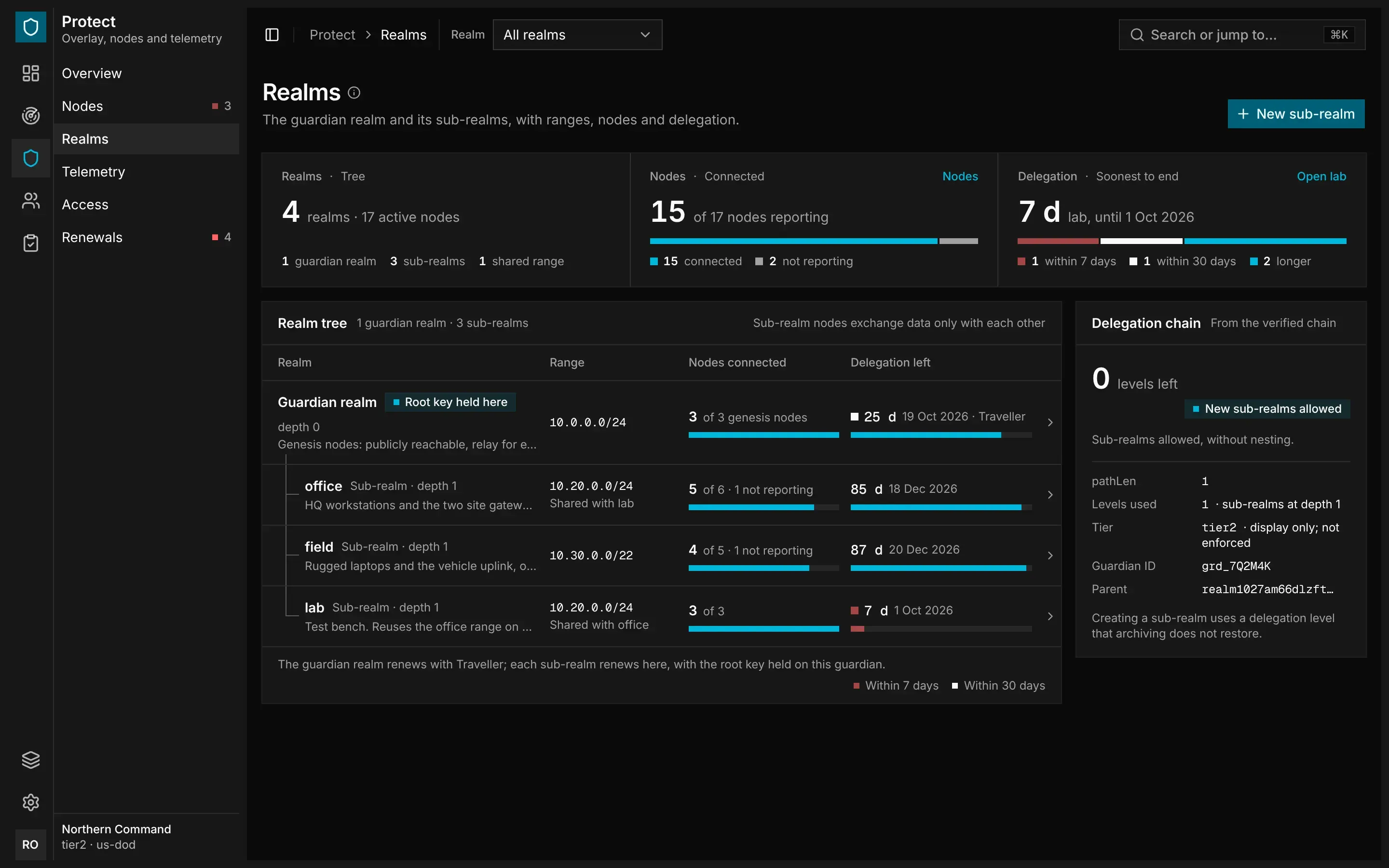
To see what your credential allows, open Protect › Realms. The tiles at the top show the Tree, how many machines are Connected, and the Delegation that ends soonest. Next to the realm tree, the Delegation chain panel shows the levels left, the levels used and the tier.
Planning Sub-Realms
Plan your sub-realms before you commission machines into them. To move a machine to another sub-realm, you must commission it again, which gives it a new identity and a new address. Follow these rules:
- Put machines that must exchange data in the same sub-realm. Data never crosses a realm boundary, whatever else you configure.
- Keep a subnet gateway and every device that reaches its network in one sub-realm. A gateway routes only for devices it can exchange data with.
- To divide a sub-realm further, use taints rather than more sub-realms. An admin can move a running machine between compartments from the console.
- Reuse address ranges freely across sub-realms. An address only resolves among machines that can exchange data.
Creating a Sub-Realm
To create a sub-realm, you need the admin role and at least one sub-realm level in your realm credential.
Open Protect › Realms and choose New sub-realm. The dialog reads
Delegated from the guardian realm, with its own address range.It takes three steps: Name, Range and Review.
Reading a Realm's Page
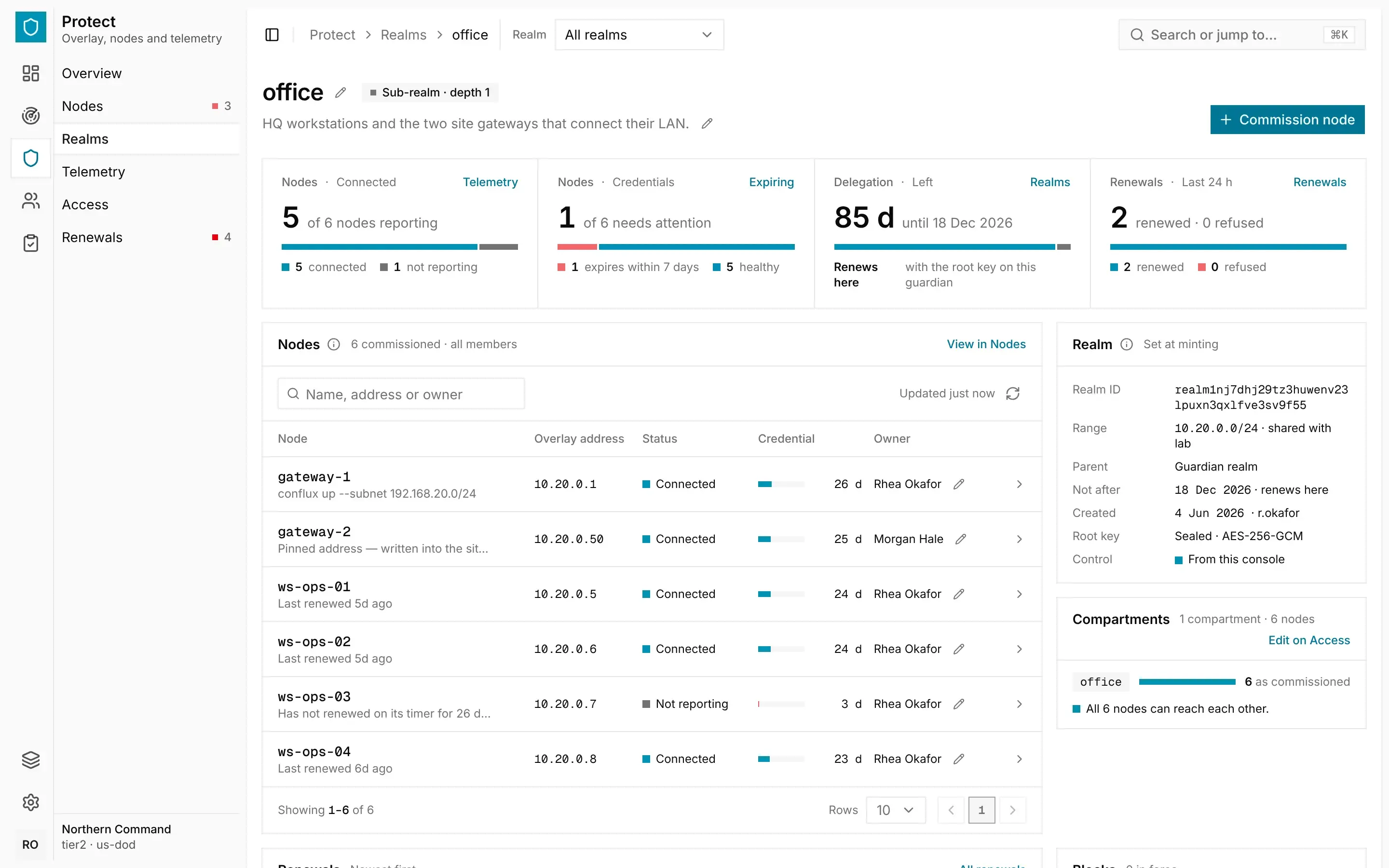
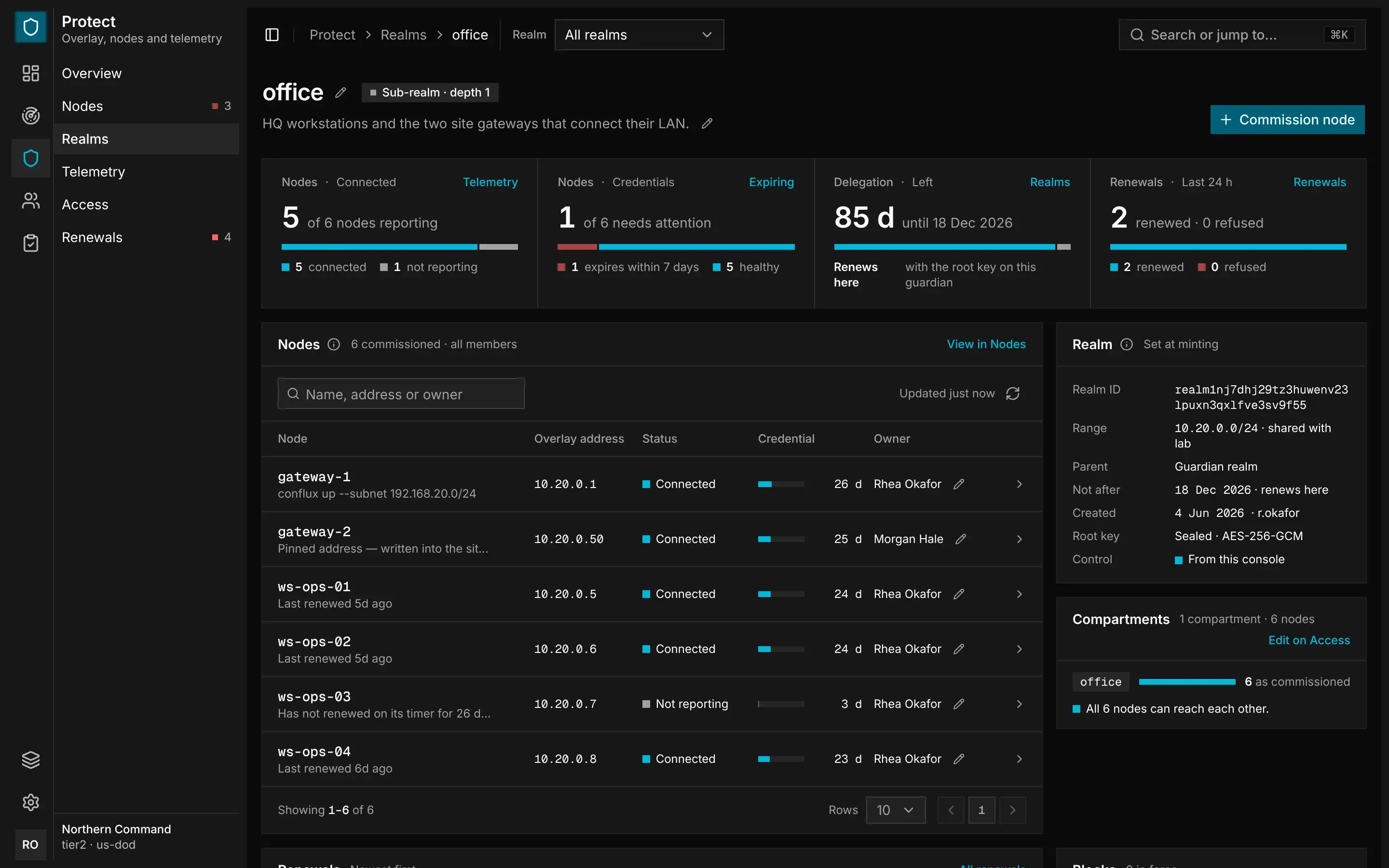
Every realm has a page that every role can read, and some parts appear only to the roles that use them. To open it, choose the realm on Protect › Realms, or find it with ⌘K or Ctrl+K.
| Part | What it shows | Who sees it |
|---|---|---|
| Tiles | How many of its machines are connected, their credentials, the delegation left and, for auditors and above, the last 24 hours of renewals | Every role |
| Nodes | Every machine in the realm, with its address, the days left on its credential and when it last renewed. A blocked machine has a blocked badge. Search, refresh and a pager sit with the table | Every role |
| Realm | Its realm ID, range, parent, when it lapses, when it was created and where it is controlled from | Every role |
| Compartments | The realm's compartments, and which machines sit in each | Admins |
| Control from the CLI | Where to issue a control credential, shown only when console control is off. See Acting from the CLI. | Managers and admins |
| Renewals | The realm's recent renewals and refusals. See Renewal. | Auditors and above |
| Blocks | The blocks in force in the realm: which machine, why, since when and until when. See Blocks in Force. | Every role. Admins also see Unblock |
| Control activity | The latest five actions an operator took on the realm's machines, refusals included, with a link to the full record. See Control Activity. | Auditors and above |
| Archive | The section at the bottom of a sub-realm's page that archives it | Admins |
A sub-realm's delegation is the credential that the guardian realm signs for it. It lasts 180 days by default, and the guardian renews it 14 days before it lapses. A machine's credential never outlasts its sub-realm's delegation. See Credential Lifetimes.
Admin Nodes
Every realm has an admin node, also called the root node. It is the guardian's own anchor in that realm, and it runs inside the guardian stack. The admin node collects telemetry from every member. It also carries out the actions that operators take in the console: blocks, compartment moves and changes to the networks a router serves.
The guardian creates each realm and its admin node together. The guardian realm's admin node is created when the guardian adopts its realm credential.
Orders and blocks stay inside the realm where they are issued, so each realm needs its own admin node. For the same reason, the guardian delegates all four powers to every sub-realm: telemetry, block, taint and subnets. Your machines hold no powers, so a stolen machine cannot act on anything.
The guardian realm can pass on only the powers that its own credential grants. Settings › Realm control shows each power as granted or withheld. When a sub-realm is created, and each time it is signed again, it receives every power that the guardian realm holds.
Renaming and Archiving
To rename a sub-realm, an admin chooses the pencil next to its name on its page. The pencil next to the description edits the description. To archive a sub-realm, go to the section at the bottom of its page, which is named after the realm, such as Archive office, and choose Archive realm. The guardian realm keeps its name and is never archived.
- Renaming changes only the name or the description, and signs nothing. The console confirms
Realm renamed. Its realm ID and range are unchanged.The range never changes, because the realm's machines hold addresses from it. - Archive realm retires a sub-realm you no longer need. Revoke each of its machines first. Until you do, the section shows how many active machines the sub-realm still has. See Revoking a Machine.
- After you archive a sub-realm, the guardian stops renewing its delegation and removes its admin node at the next round. Archiving does not revoke any machine by itself.